
MR600 Settings
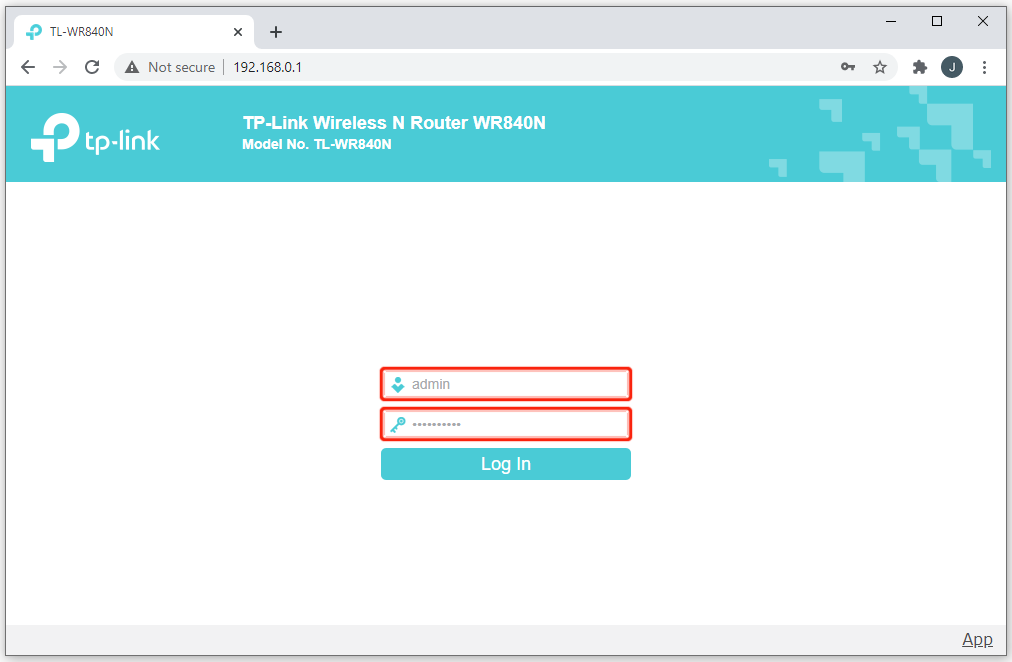
1. Launch a web browser and type in http://tplinkmodem.net or http://192.168.1.1

2. Advanced-> System Tools -> Backup & Restore -> Factory Default Restore page, then click on the Factory Restore and wait the Router to reboot to its factory default settings.

3. Reconnect to Router using details under Neath. Once done, type in new Password. On this case use : ( admin2011 ) Click Advanced, Internet and create a new APN profile
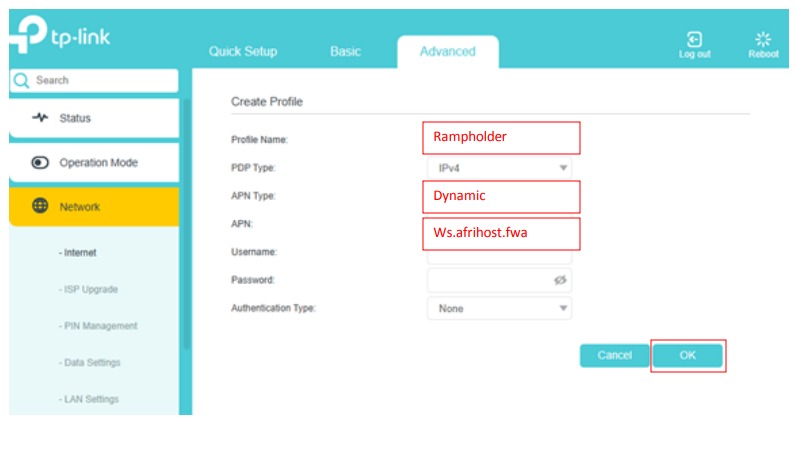
4. Type as shown above. Profile ( Rampholder ) APN TYPE ( Dynamic ) APN ( ws.afrihost.fwa ), Then press okey.
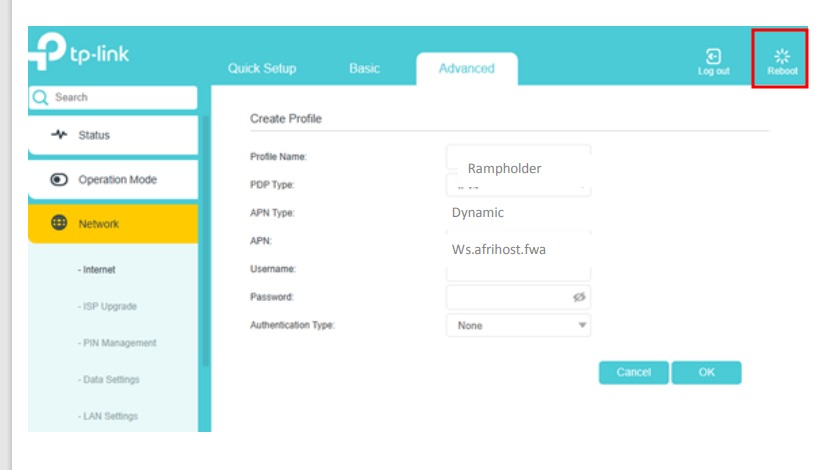
5. Press Reboot on the upper Right of your interface, Wait for the Wi-fi to reboot fully.
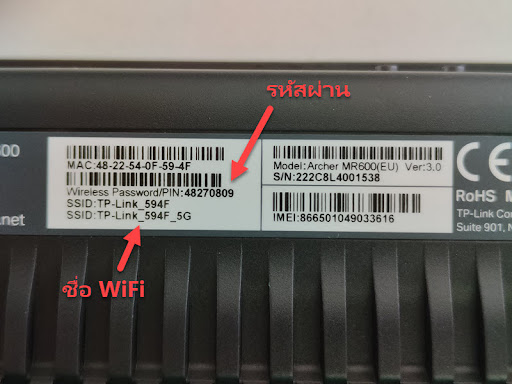
6. Connect with the password under Neath written ( Wireless password/Pin )
