
ZTE Settings
If you have a service of a Wi-Fi with us, here are the settings you need to apply on the router. These apply to ZTE Router only.
1.
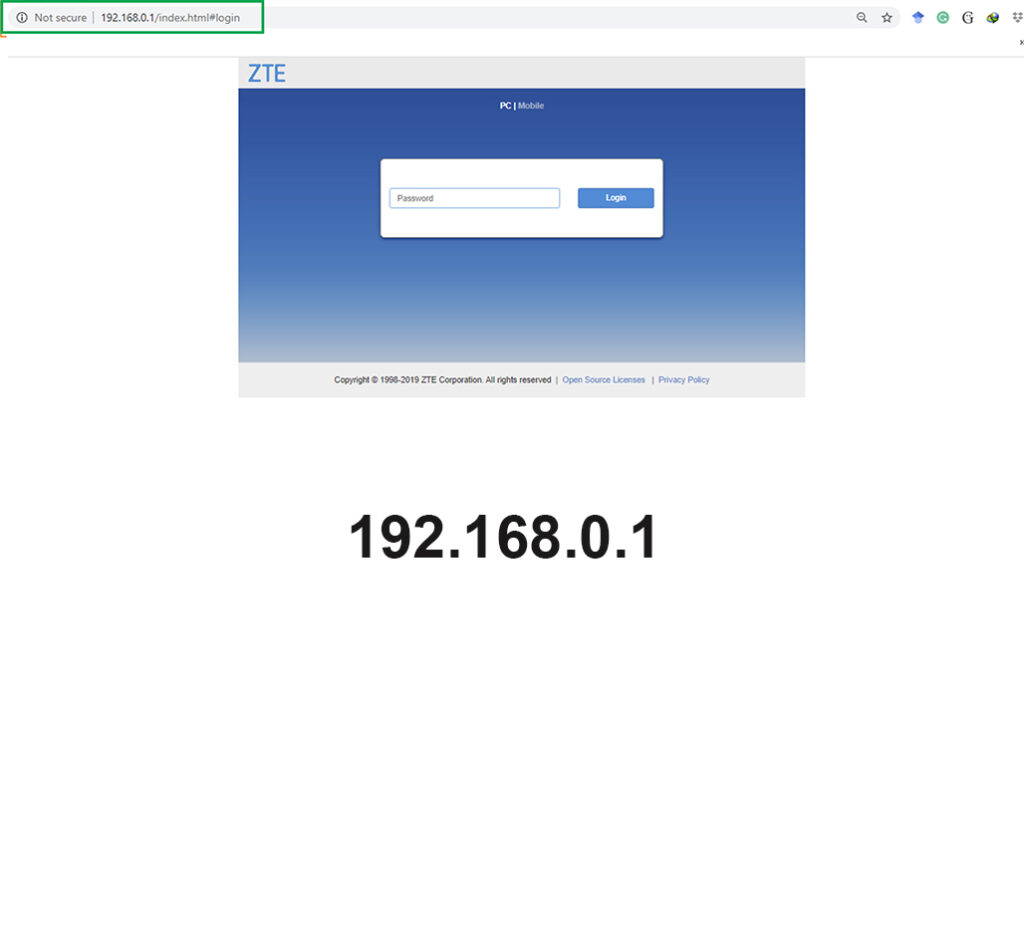
Please connect to the Router, Thought it says no internet. Open your browser ( Chrome, Edge or Safari ) and type the following address numbers with no space : 192.168.0.1 and enter the password ( admin )

2.
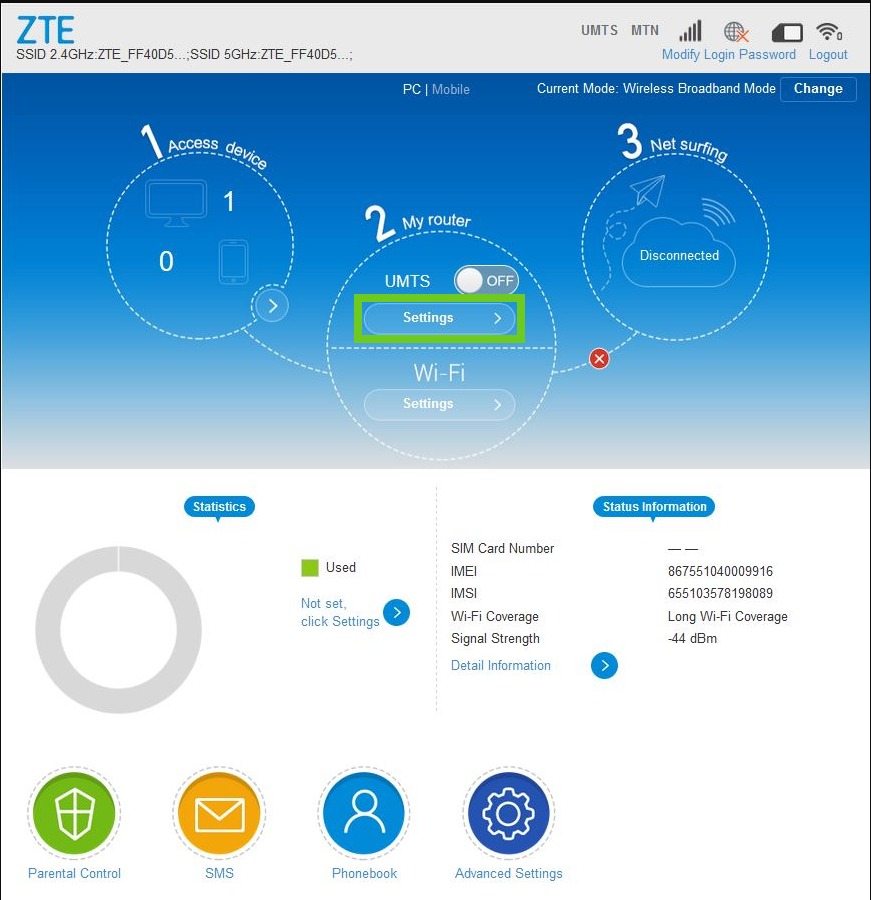
Make sure that the LTE button is Grey meaning its OFF…
3.
Click Settings below LTE / UMTS …
4.
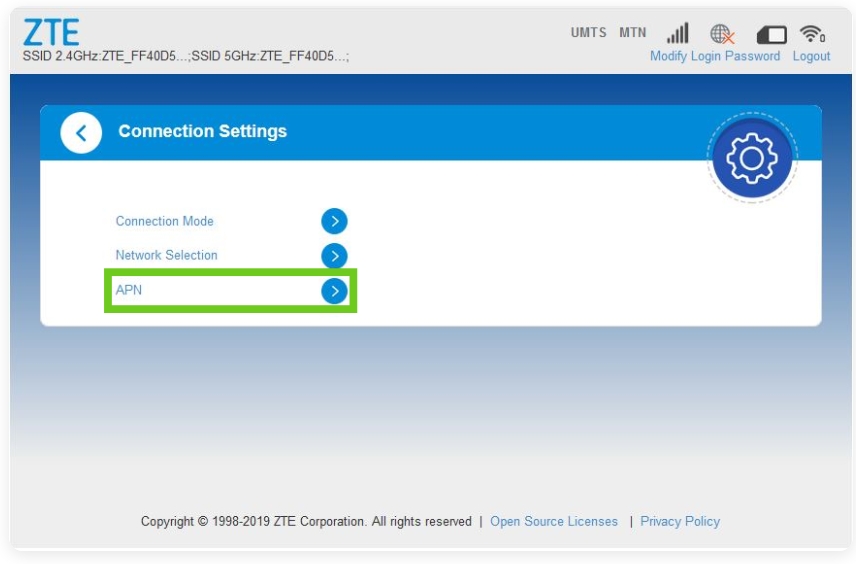
Click APN
5.
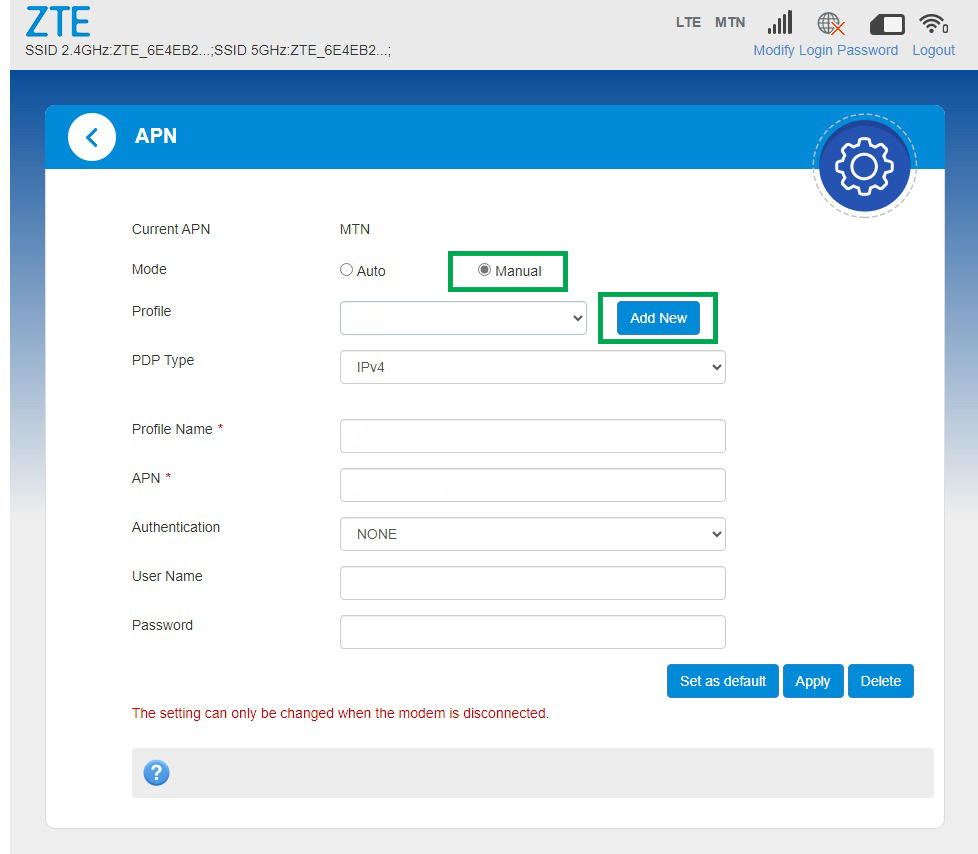
Click Manual on the Mode section then click ADD NEW…
6.
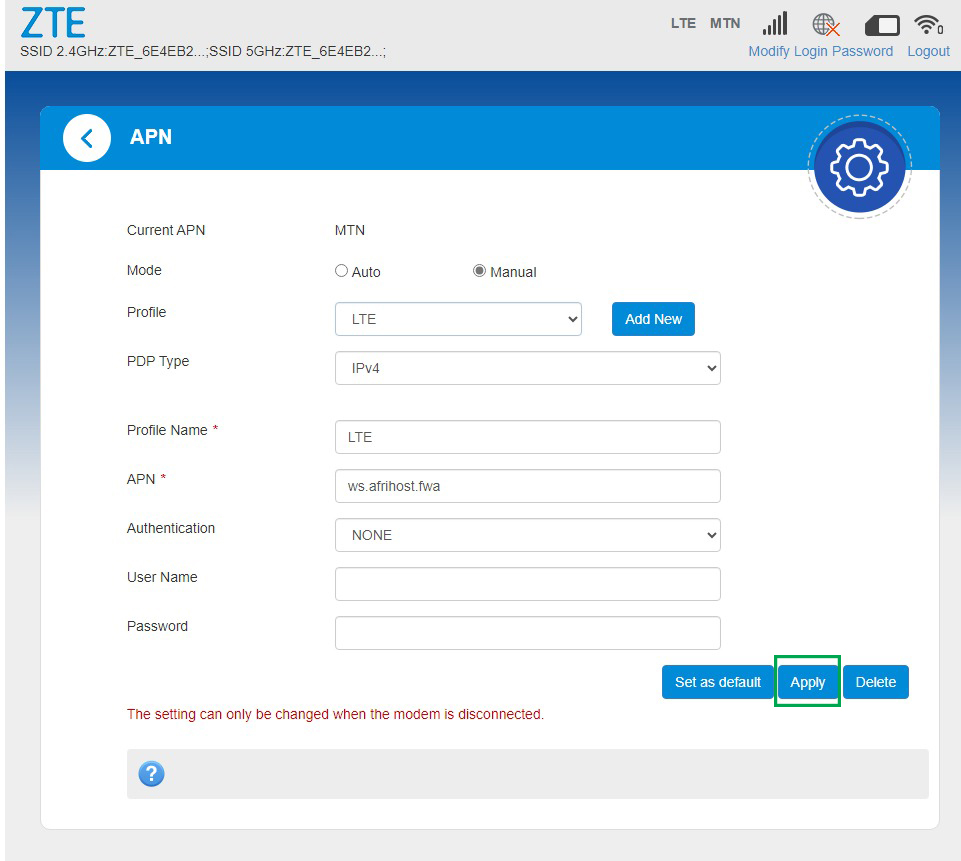
Write exactly as shown in the photo, As is no space then click APPLY…
Profile Name : LTE
APN : ws.rampholder.fwa
or ( any of these two )
APN : ws.afrihost.fwa
7.
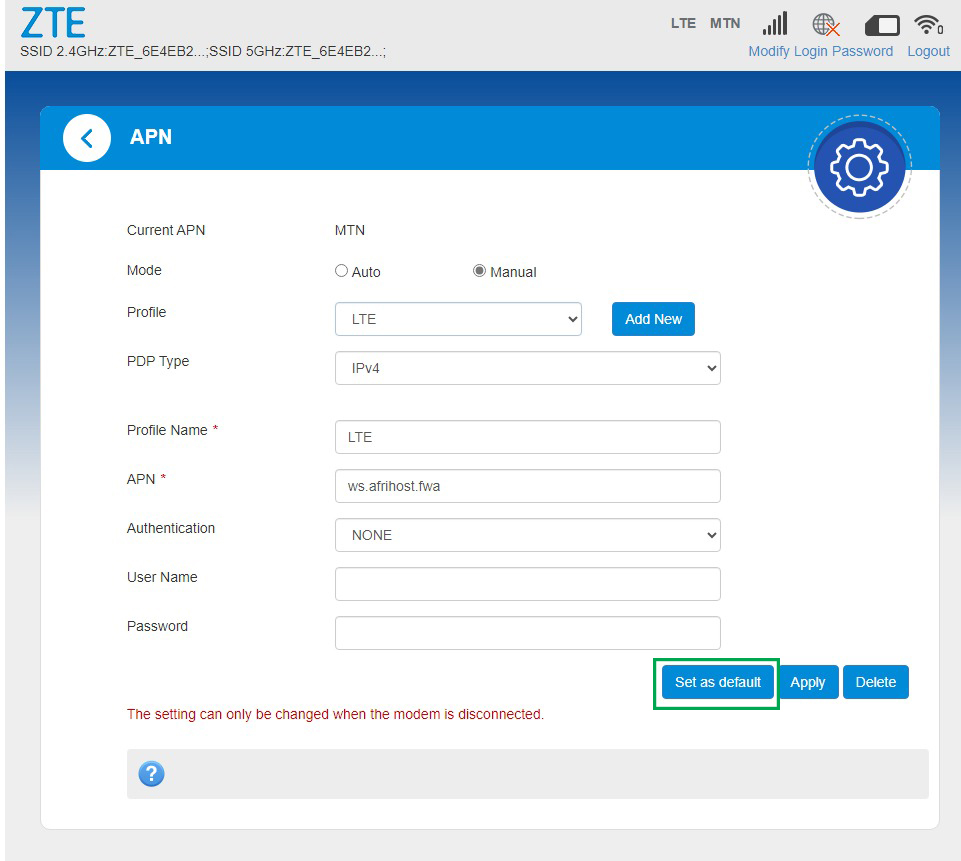
Click SET AS DEFAULT wait till Success.
8.
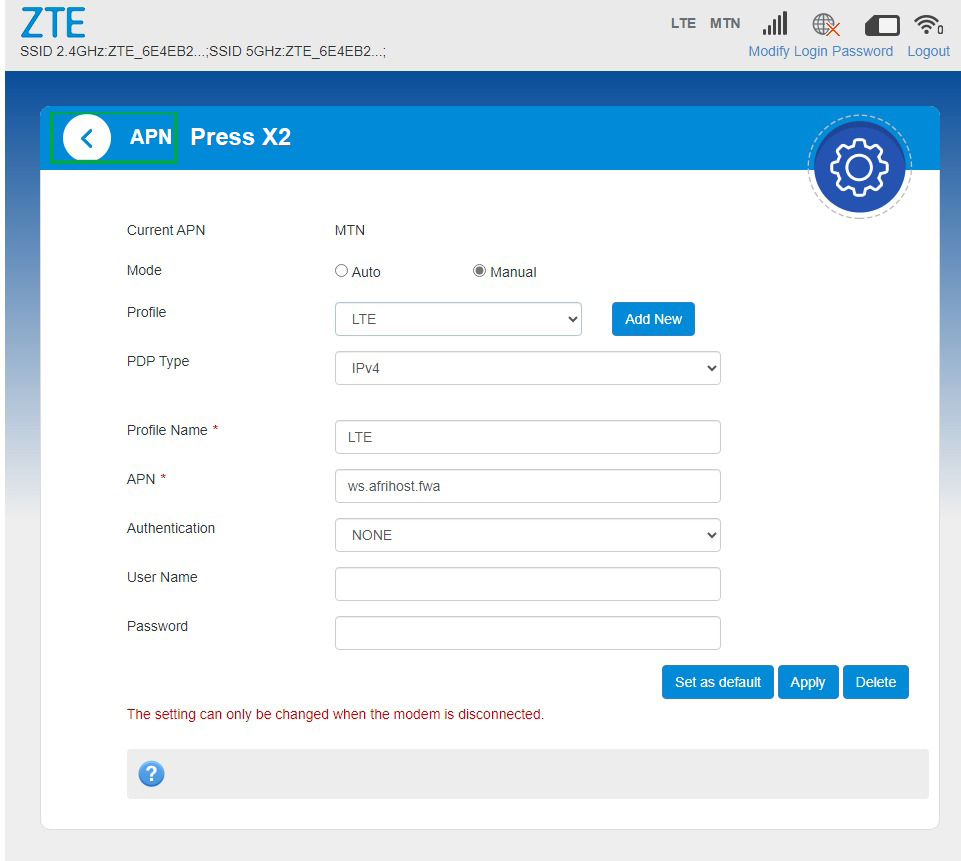
Press arrow pointing on the left 2 times to go back to circles main menu.
9.
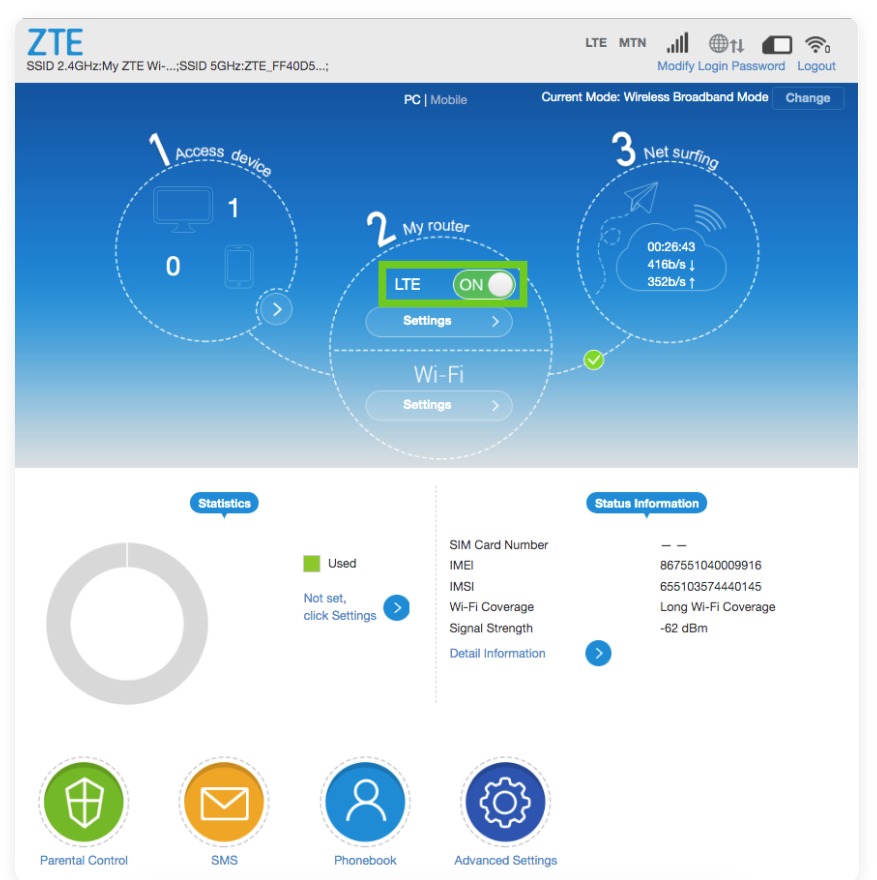
Turn the LTE/UMTS button on as shown then you are good to browse.
